ADVERTISEMENT
ADVERTISEMENT
 (No Ratings Yet)
 Loading...
Fullscreen
ADVERTISEMENT


 (No Ratings Yet)Loading...
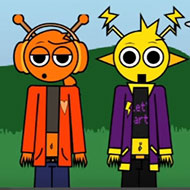
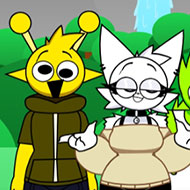
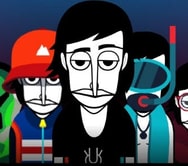
Incredibox Scratch looks like a polished, produced music toy on the level of the games that inspired it, but it plays like something rougher: a bare drag-and-drop template where you build a beat one icon at a time and troubleshoot it yourself the moment something looks off. There is no menu and no tutorial — just a lineup, a row of sound icons, and a loop counter ticking in the corner. That plainness is the entire point, and it is also where the game earns whatever charm it has.
The core mechanic is easy to describe and slower to master: drag icon characters onto the lineup and each one layers a sound into the mix — a beat, a bassline, a melody, or an effect. Land enough of the right icons together and the game rewards you with a short bonus animation, the clearest signal a combination worked. Miss it and nothing happens beyond the loop repeating, which is often the only feedback a player gets.
Beginners tend to assume more icons sound better by default, so they overload the lineup early and end up with a muddy loop instead of one that builds. It plays best when icons go in gradually, with a few seconds of listening between each addition, a rhythm most players only notice after a full session of trial and error. Within the first minute of pressing the green flag, most are still just clicking icons at random to hear what each does, and that experimentation is genuinely part of how the game is meant to be explored.
One honest complaint is that the loop counter and bonus buttons occasionally desync from what is actually playing — a number stops updating, or a bonus round that should trigger does not respond. The fix is the one built into the template itself: press the green flag again rather than fighting the current session. It is a rough edge players do not pretend isn’t there, and community discussion around fan-made Scratch templates tends to shrug it off as expected from a hobbyist project.
None of this is dressed up, and that is fine. It gets judged on whether the loop sounds good, not on polish.
Yes — the template recommends it, and it is not a throwaway suggestion. Layered icon sounds bleed together on laptop speakers, making it hard to tell whether a new icon changed the mix or added noise. With headphones, the split between the beat, the melody, and any bonus layer becomes obvious almost immediately.
Incredibox Scratch never pretends to be more than it is: a small, occasionally glitchy tribute held together by a lineup, a handful of icons, and a loop counter that needs a restart now and then. Judged on those terms, it does what it sets out to do.
 (0 votes, average: 0.00 out of 5, rated)
  (0 votes, average: 0.00 out of 5, rated)
 (1 votes, average: 4.00 out of 5, rated)
  (0 votes, average: 0.00 out of 5, rated)
  (1 votes, average: 5.00 out of 5, rated)
 (18 votes, average: 4.39 out of 5, rated)
  (1 votes, average: 5.00 out of 5, rated)
  (1 votes, average: 5.00 out of 5, rated)
  (1 votes, average: 5.00 out of 5, rated)
  (1 votes, average: 5.00 out of 5, rated)
 There are no reviews yet. Be the first one to write one.